# “ERROR: MRtrix3 executables not found in expected location” in Windows 10 64 bit installation
**URL:** https://community.mrtrix.org/t/error-mrtrix3-executables-not-found-in-expected-location-in-windows-10-64-bit-installation/1253
**Category:** Uncategorized
**Tags:** installation, error
**Created:** [October 19, 2017, 6:56pm UTC](https://community.mrtrix.org/t/error-mrtrix3-executables-not-found-in-expected-location-in-windows-10-64-bit-installation/1253 "2017-10-19T18:56:41Z")
**Posts on this page:** 4
**Page:** 1
### Author:  [@ruhunur](https://community.mrtrix.org/u/ruhunur)
#### Post date: [October 19, 2017, 6:56pm UTC](https://community.mrtrix.org/t/error-mrtrix3-executables-not-found-in-expected-location-in-windows-10-64-bit-installation/1253/1 "2017-10-19T18:56:42Z")
I’ve been encountering a problem during the installation after Building MRtrix step. I inserted
$ /usr/bin/python ./configure
$ /usr/bin/python ./build
which is previously suggested in other topics. (only solution worked in my computer)
since
$./configure
$./build
didn’t work at least for me. The error for these lines that I’ve enclosed in the following:
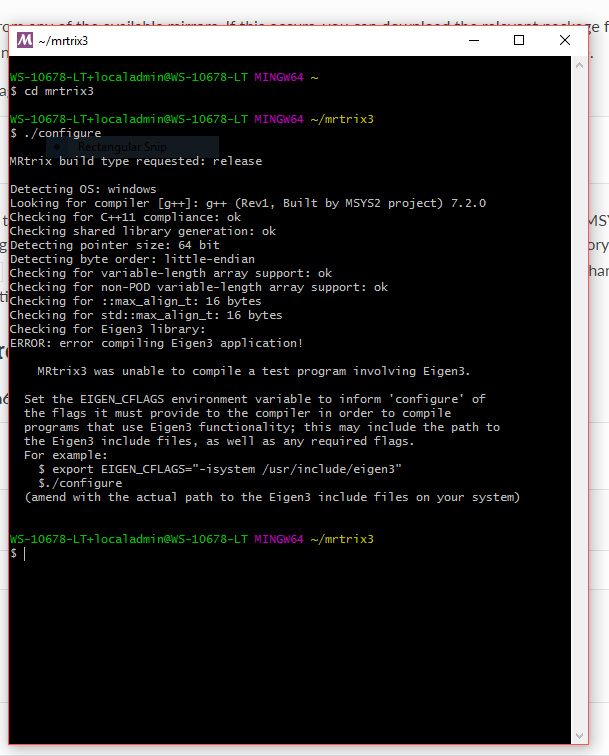
My main question is when I continued with the step:
$./set\_path
I’ve been receiving the following error during the installation :
ERROR: MRtrix3 executables not found in expected location.
This script needs to be run from within the MRtrix3 toplevel directory, AND
after the build script has successfully completed. In addition, the set\_path
script should NOT be moved from its original location in the MRtrix3 toplevel
directory.
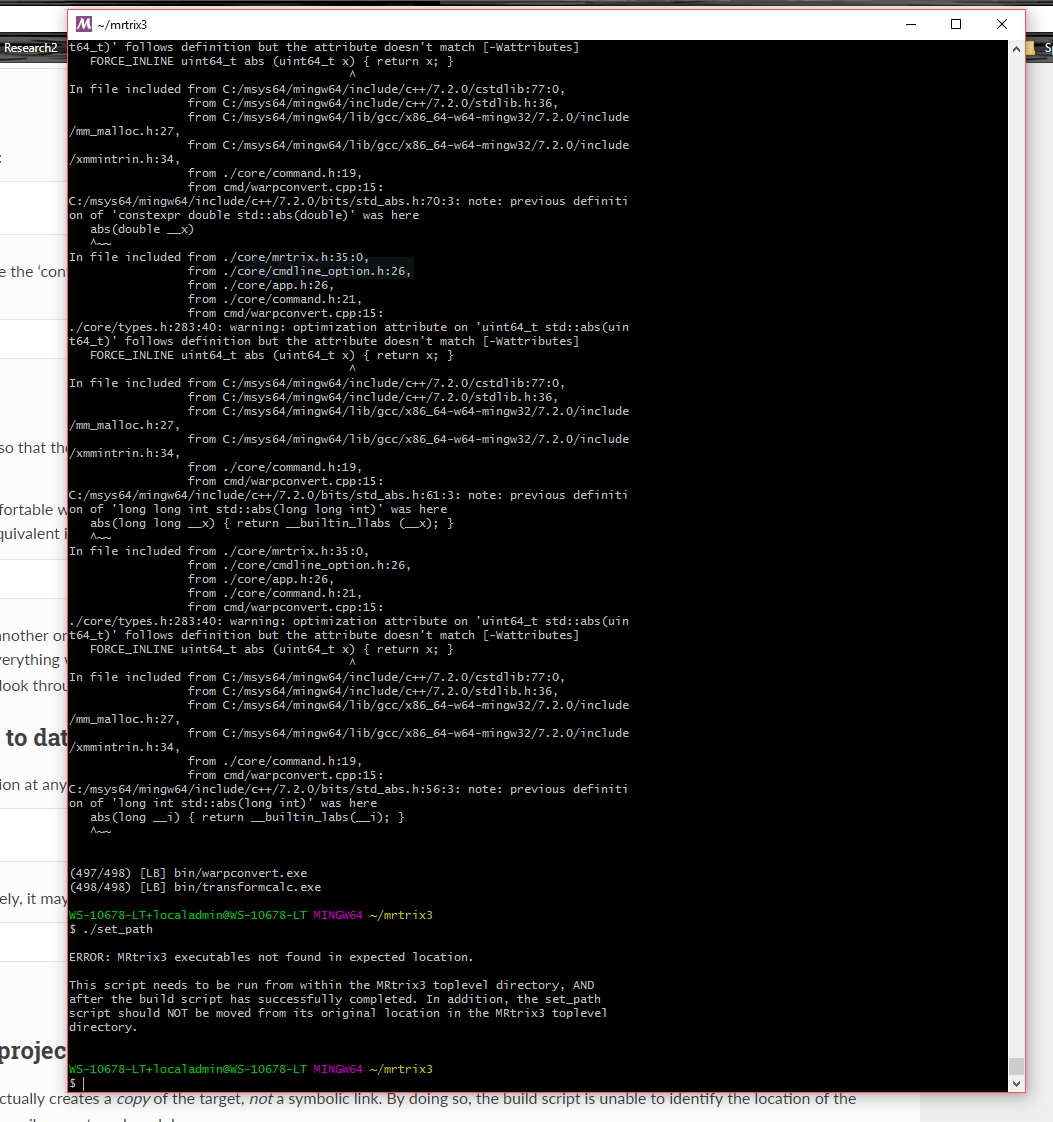
It would be really appreciated, if you could suggest some solutions to fix the problem.
Thank you!
Best Regards
Ruhunur
---
### Author:  [@bjeurissen](https://community.mrtrix.org/u/bjeurissen)
#### Post date: [October 19, 2017, 7:27pm UTC](https://community.mrtrix.org/t/error-mrtrix3-executables-not-found-in-expected-location-in-windows-10-64-bit-installation/1253/2 "2017-10-19T19:27:39Z")
I would try
```auto
/usr/bin/python ./set_path
```
---
### Author:  [@ruhunur](https://community.mrtrix.org/u/ruhunur)
#### Post date: [October 19, 2017, 7:50pm UTC](https://community.mrtrix.org/t/error-mrtrix3-executables-not-found-in-expected-location-in-windows-10-64-bit-installation/1253/3 "2017-10-19T19:50:08Z")
Thanks for the suggestion.
I had tried that line too but the result was same
---
### Author:  [@jdtournier](https://community.mrtrix.org/u/jdtournier)
#### Post date: [October 19, 2017, 9:30pm UTC](https://community.mrtrix.org/t/error-mrtrix3-executables-not-found-in-expected-location-in-windows-10-64-bit-installation/1253/4 "2017-10-19T21:30:00Z")
@bjeurissen: no, this is a genuine bug - hopefully fixed in [this pull request](https://github.com/MRtrix3/mrtrix3/pull/1172). Just waiting for you to approve and merge… 😉