# How does "mrcalc A B -max C" command process with the overlapping voxels?
**URL:** https://community.mrtrix.org/t/how-does-mrcalc-a-b-max-c-command-process-with-the-overlapping-voxels/7257
**Category:** Uncategorized
**Tags:** preprocessing
**Created:** [January 2, 2024, 3:05pm UTC](https://community.mrtrix.org/t/how-does-mrcalc-a-b-max-c-command-process-with-the-overlapping-voxels/7257 "2024-01-02T15:05:29Z")
**Posts on this page:** 3
**Page:** 1
### Author:  [@Roger1219](https://community.mrtrix.org/u/Roger1219)
#### Post date: [January 2, 2024, 3:05pm UTC](https://community.mrtrix.org/t/how-does-mrcalc-a-b-max-c-command-process-with-the-overlapping-voxels/7257/1 "2024-01-02T15:05:29Z")
Hi experts,
The mask images A.nii and B.nii are in the same space. When I use `mrcalc A.nii B.nii -max C.nii`, I found that in the unoverlapped voxels, the value in C.nii is exactly the larger value between A and B. But in the overlapping voxels, the value in C.nii is neither the value of voxel in A, nor in B, but a new value larger than both of them (not equal to the sum of A and B) (Figure 1). Sometimes, value in C is really the larger one between A and B (neither equal to 0) (Figure 2).
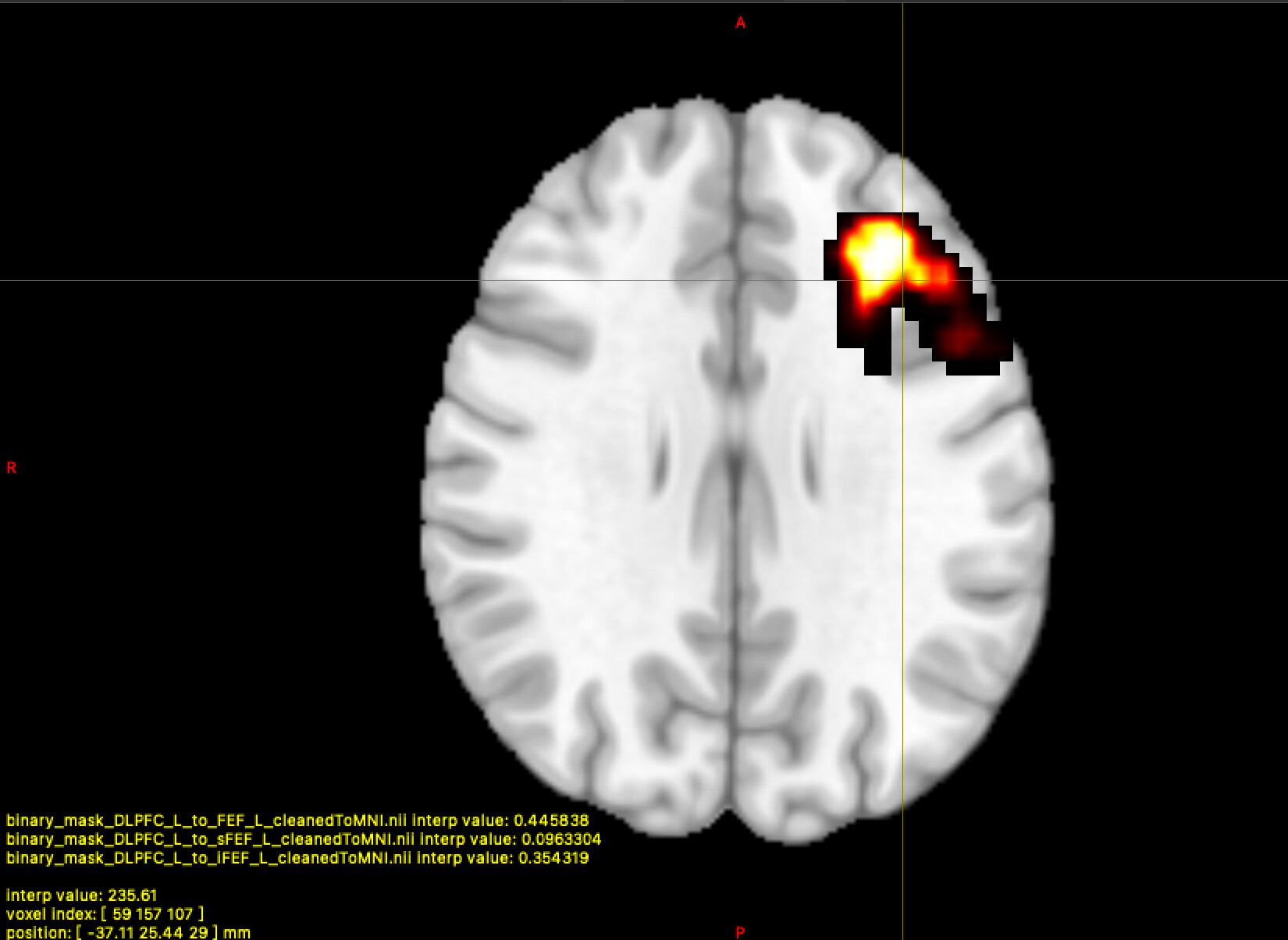
Figure1
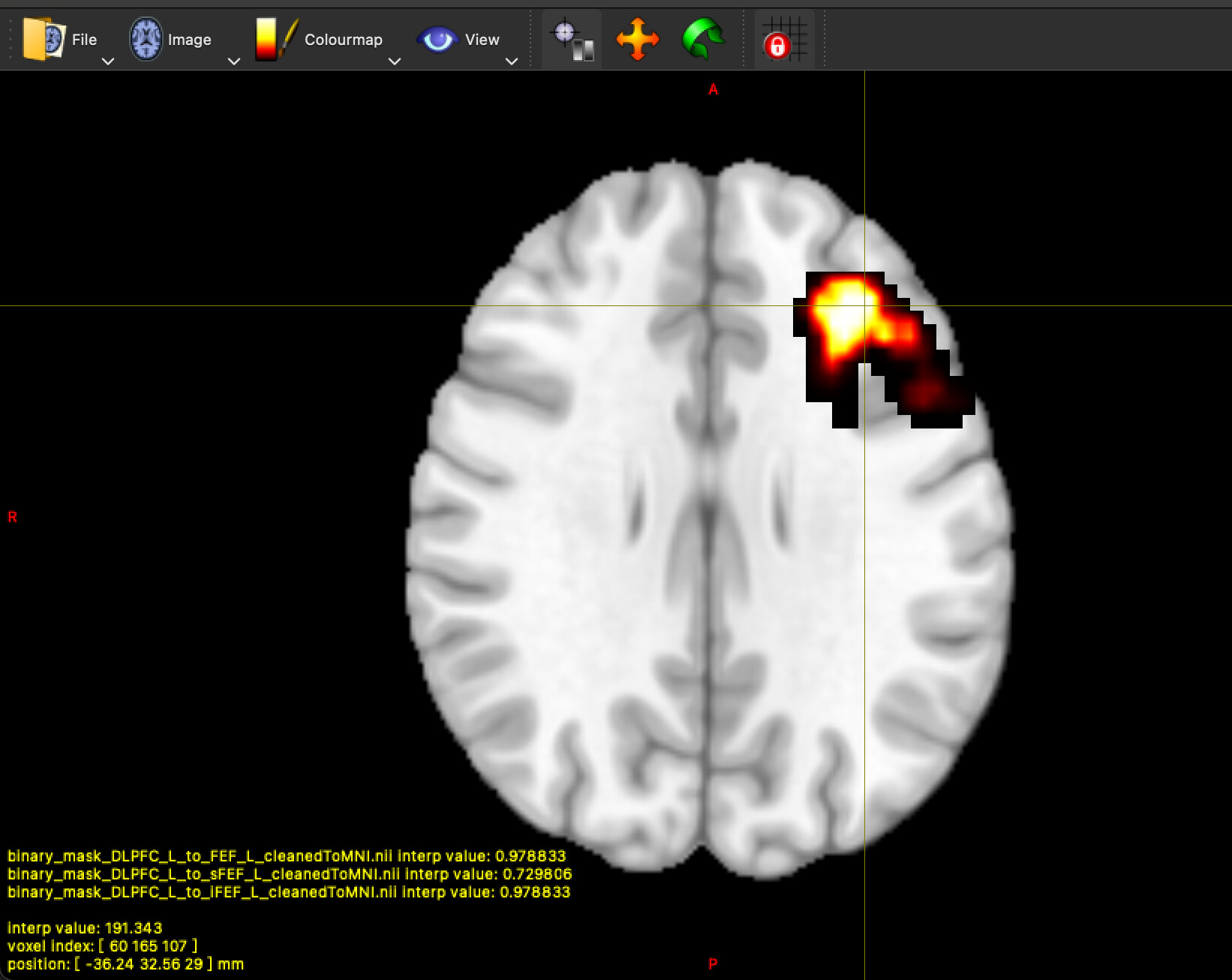
Figure2
Considering that in most of situations, the purpose of this command is to merge two masks, I think there is a reason. But I don’t know what it is. So could you please tell me the calculation mechanism behind `mrcalc`?
Thanks in advance.
Best,
Roger
---
### Author:  [@j-tseng](https://community.mrtrix.org/u/j-tseng)
#### Post date: [January 2, 2024, 5:12pm UTC](https://community.mrtrix.org/t/how-does-mrcalc-a-b-max-c-command-process-with-the-overlapping-voxels/7257/2 "2024-01-02T17:12:45Z")
Hey Roger - make sure you examine these images in `mrview` with interpolate _off_ (bottom of the Overlay panel) for both mask files and the mrcalc output mask file. If you ran `mrcalc -max` on two binary mask files, the resulting file should also be binary.
With interpolation on, the mask overlay images will be interpolated to the grid of the underlying image (your T1 in this case) which can cause the partial values you’re seeing. It doesn’t reflect the actual values in the actual mrcalc output file (`C.nii`).
---
### Author:  [@Roger1219](https://community.mrtrix.org/u/Roger1219)
#### Post date: [January 3, 2024, 1:44am UTC](https://community.mrtrix.org/t/how-does-mrcalc-a-b-max-c-command-process-with-the-overlapping-voxels/7257/3 "2024-01-03T01:44:40Z")
Hi j-tseng, thank you for your help. When I turn off the interpolate, the value in C.nii is exactly the larger value between A and B. By the way, these masks are generated from white matter tract, which are tracked by Mrtrix3. And the value of edging voxels is between 0 and 1. .