# Prostate Tractography - Colouring Tracts
**URL:** https://community.mrtrix.org/t/prostate-tractography-colouring-tracts/676
**Category:** Uncategorized
**Created:** [January 22, 2017, 10:39pm UTC](https://community.mrtrix.org/t/prostate-tractography-colouring-tracts/676 "2017-01-22T22:39:28Z")
**Posts on this page:** 4
**Page:** 1
### Author:  [@sandhu1986](https://community.mrtrix.org/u/sandhu1986)
#### Post date: [January 22, 2017, 10:39pm UTC](https://community.mrtrix.org/t/prostate-tractography-colouring-tracts/676/1 "2017-01-22T22:39:28Z")
I am currently using the MRtrix3 software in an attempt to perform tractography of the neurovascular bundles surrounding the prostate. I have two questions:
1. Is there a way of manually assigning several different colours to different groups of tracts within one .tck file? For example I would like to assign tracts passing between 12 o’clock to 1 as GREEN and 1 to 2 as RED etc.
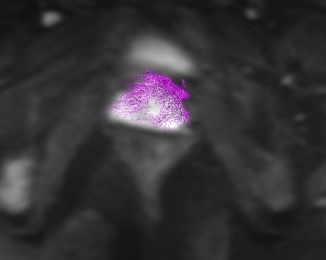
2
. Is there a way of combining several separate .tcks files such that all tracts are visible in one file but still retain their own manual colour coding?
Thanks for the help!
---
### Author:  [@rsmith](https://community.mrtrix.org/u/rsmith)
#### Post date: [January 23, 2017, 12:09am UTC](https://community.mrtrix.org/t/prostate-tractography-colouring-tracts/676/2 "2017-01-23T00:09:54Z")
Hi Aman,
All of the tracks within a single `.tck` file are considered equally; there’s no scope within the long-standing [`.tck` file format](http://mrtrix.readthedocs.io/en/latest/getting_started/image_data.html#tracks-file-format-tck) to store individual properties (colour, weight, any other quantity of interest) per track, it’s literally just a list of points in 3D space.
However if you are able to split the tracks across multiple files - for instance using `tckedit` - then you can use the `mrview` interface to manually set the colour of each individual bundle (since each will be in its own file). Separating tracks based on small differences in the local tangent direction is unlikely (both practically and conceptually), but if the tracks branch out and end at different locations then you can use manually-defined ROIs at those endpoints to separate the bundles from one another.
Cheers
Rob
---
### Author:  [@sandhu1986](https://community.mrtrix.org/u/sandhu1986)
#### Post date: [January 23, 2017, 9:47am UTC](https://community.mrtrix.org/t/prostate-tractography-colouring-tracts/676/3 "2017-01-23T09:47:37Z")
Thanks for the quick response!
I have seeded several separate tracts around the prostate. Each .tck file can be assigned a colour manually and viewed together on mrview.
Is there a way (possibly with tcpmap) to combine these for visualisation purposes so that I dont have to manually reassign the colours again each time when opening a case.
Thanks for the help.
---
### Author:  [@rsmith](https://community.mrtrix.org/u/rsmith)
#### Post date: [January 24, 2017, 1:22am UTC](https://community.mrtrix.org/t/prostate-tractography-colouring-tracts/676/4 "2017-01-24T01:22:45Z")
Hmmm. There’s a couple of options here, one that you can try now and one that would require a bit of coding:
- Generate a TDI for each bundle, do some trickery to make it coloured, and then combine them:
- The list of `mrview` command-line options for automating GUI setup is slowly increasing. If a command-line option were available to set the colour for a track file imported using `-tractography.load`, I reckon that would allow you to import the tracks and colour them as you wish without needing to do any manual interaction?