# Setting library path on Windows 10
**URL:** https://community.mrtrix.org/t/setting-library-path-on-windows-10/148
**Category:** Uncategorized
**Tags:** installation, windows
**Created:** [April 7, 2016, 10:16pm UTC](https://community.mrtrix.org/t/setting-library-path-on-windows-10/148 "2016-04-07T22:16:55Z")
**Posts on this page:** 13
**Page:** 1
### Author:  [@nadluru](https://community.mrtrix.org/u/nadluru)
#### Post date: [April 7, 2016, 10:16pm UTC](https://community.mrtrix.org/t/setting-library-path-on-windows-10/148/1 "2016-04-07T22:16:55Z")
Dear all,
I followed the instructions [here](http://mrtrix.readthedocs.org/en/latest/installation/windows_install.html) using MSYS2 option and successfully installed the latest MRtrix3 on Windows 10. But when I test `mrview` it says it can’t find the libraries. The path to libraries is on the $PATH. Please see the attached screenshot.
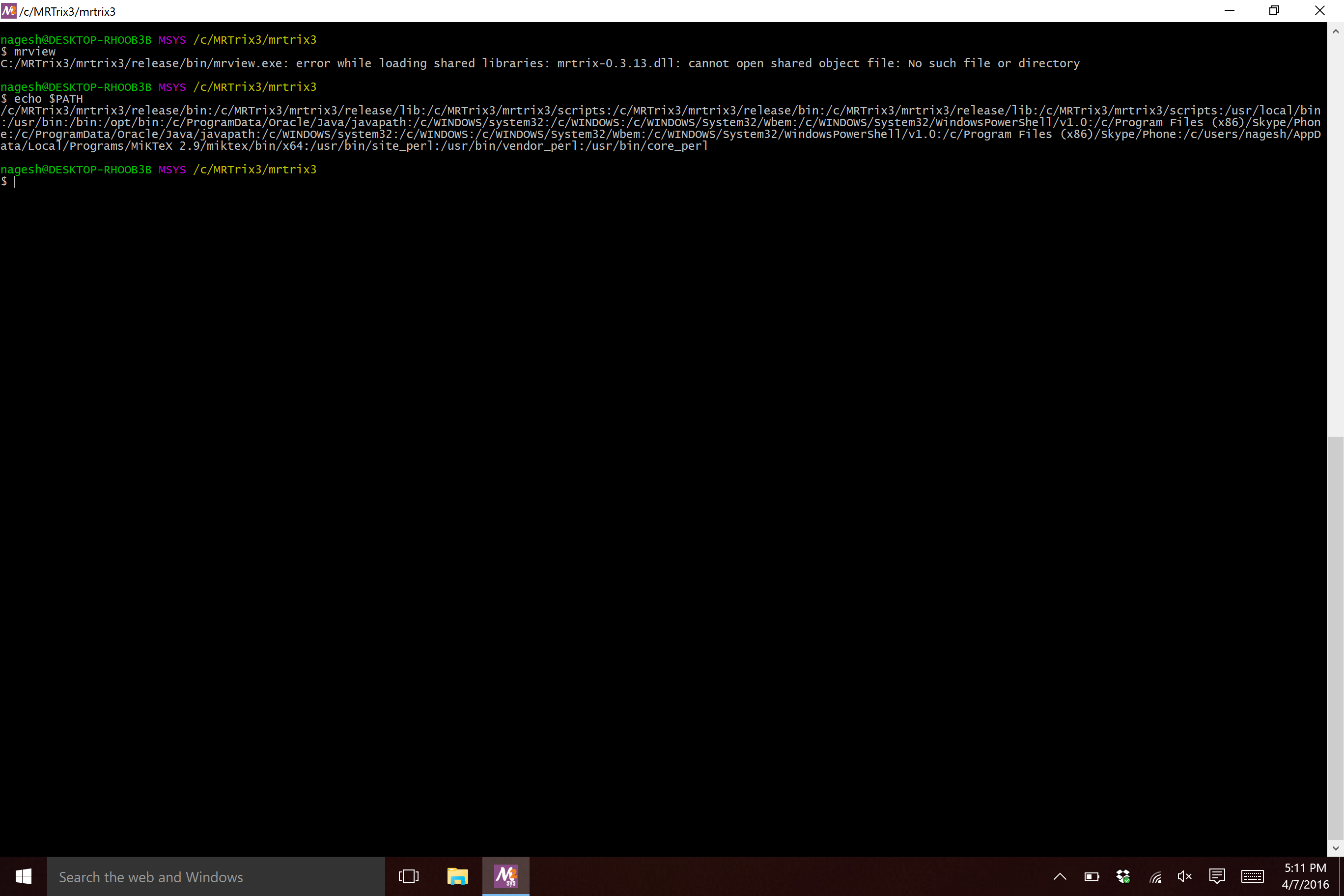
Could you please let me know what I am missing?
Thanks so much!
Nagesh
---
### Author:  [@rsmith](https://community.mrtrix.org/u/rsmith)
#### Post date: [April 7, 2016, 10:39pm UTC](https://community.mrtrix.org/t/setting-library-path-on-windows-10/148/2 "2016-04-07T22:39:16Z")
That is strange…
1. Can you `ls -la /c/MRTrix3/mrtrix3/release/lib` just to confirm that the library file is still there and non-empty?
2. Do you still get the same problem after a `python build clean; python build`?
3. Unless anyone else can spot a problem, I’d try re-installing to a different directory that doesn’t contain any uppercase characters, just on the (exceptionally unlikely) chance that those are causing an issue.
---
### Author:  [@nadluru](https://community.mrtrix.org/u/nadluru)
#### Post date: [April 7, 2016, 11:27pm UTC](https://community.mrtrix.org/t/setting-library-path-on-windows-10/148/3 "2016-04-07T23:27:52Z")
> [@rsmith](#):
>
> mrtrix3
I tried the first two on your list and still the problem persists. See the screenshot.
I am going to try three now and will report back.
Thanks Robert.
Nagesh
---
### Author:  [@nadluru](https://community.mrtrix.org/u/nadluru)
#### Post date: [April 7, 2016, 11:28pm UTC](https://community.mrtrix.org/t/setting-library-path-on-windows-10/148/4 "2016-04-07T23:28:32Z")
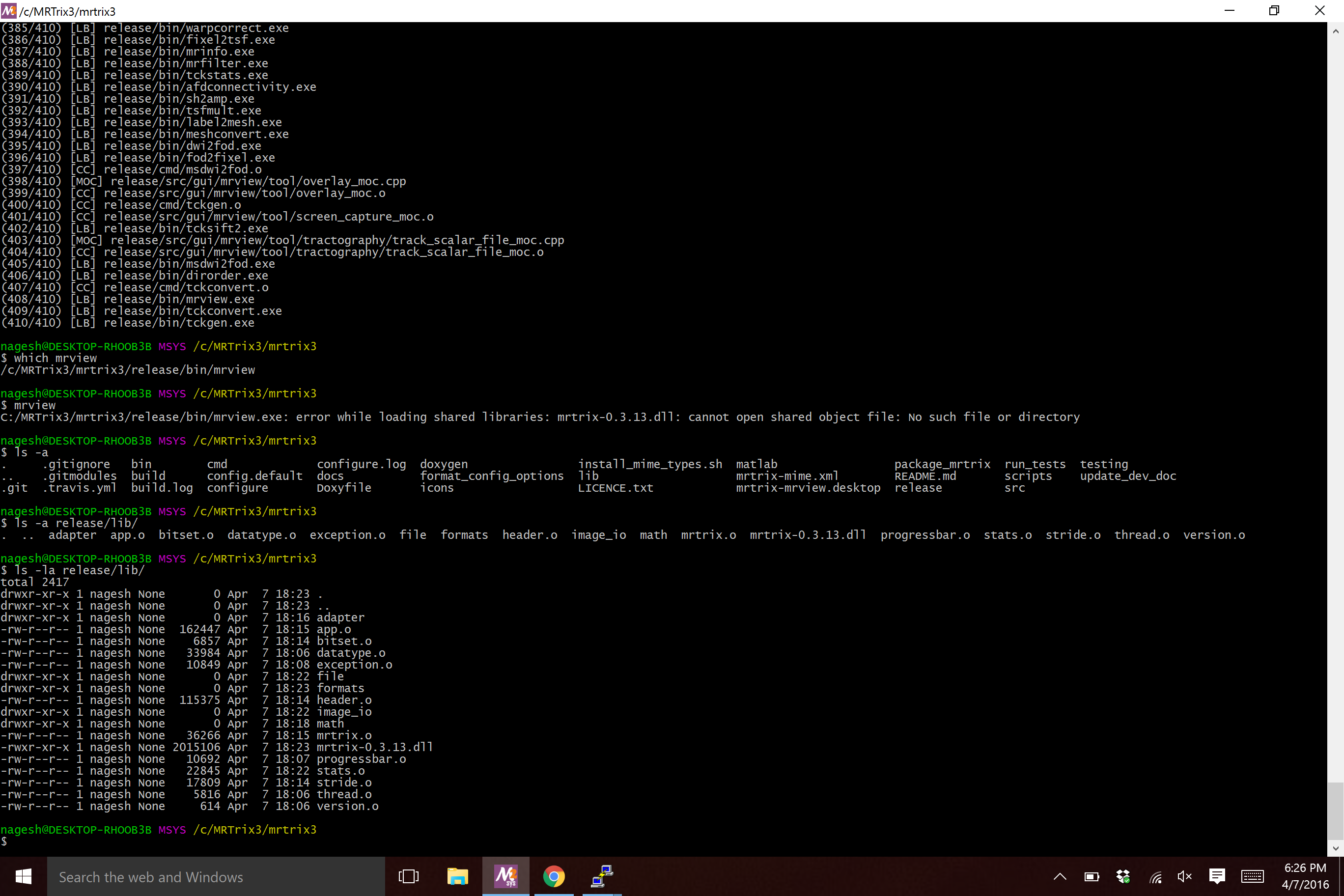
Sorry forgot to attach!
---
### Author:  [@rsmith](https://community.mrtrix.org/u/rsmith)
#### Post date: [April 8, 2016, 12:57am UTC](https://community.mrtrix.org/t/setting-library-path-on-windows-10/148/5 "2016-04-08T00:57:24Z")
Very strange. Only other things I can think of are to run:
```auto
ldd `which mrview`
```
, and to copy&paste the contents of your `release/config` file (use the `[code]` trick described [here](https://community.mrtrix.org/t/formatting-tricks-for-increased-readability/34) to help keep the post neat).
---
### Author:  [@nadluru](https://community.mrtrix.org/u/nadluru)
#### Post date: [April 8, 2016, 12:58am UTC](https://community.mrtrix.org/t/setting-library-path-on-windows-10/148/6 "2016-04-08T00:58:28Z")
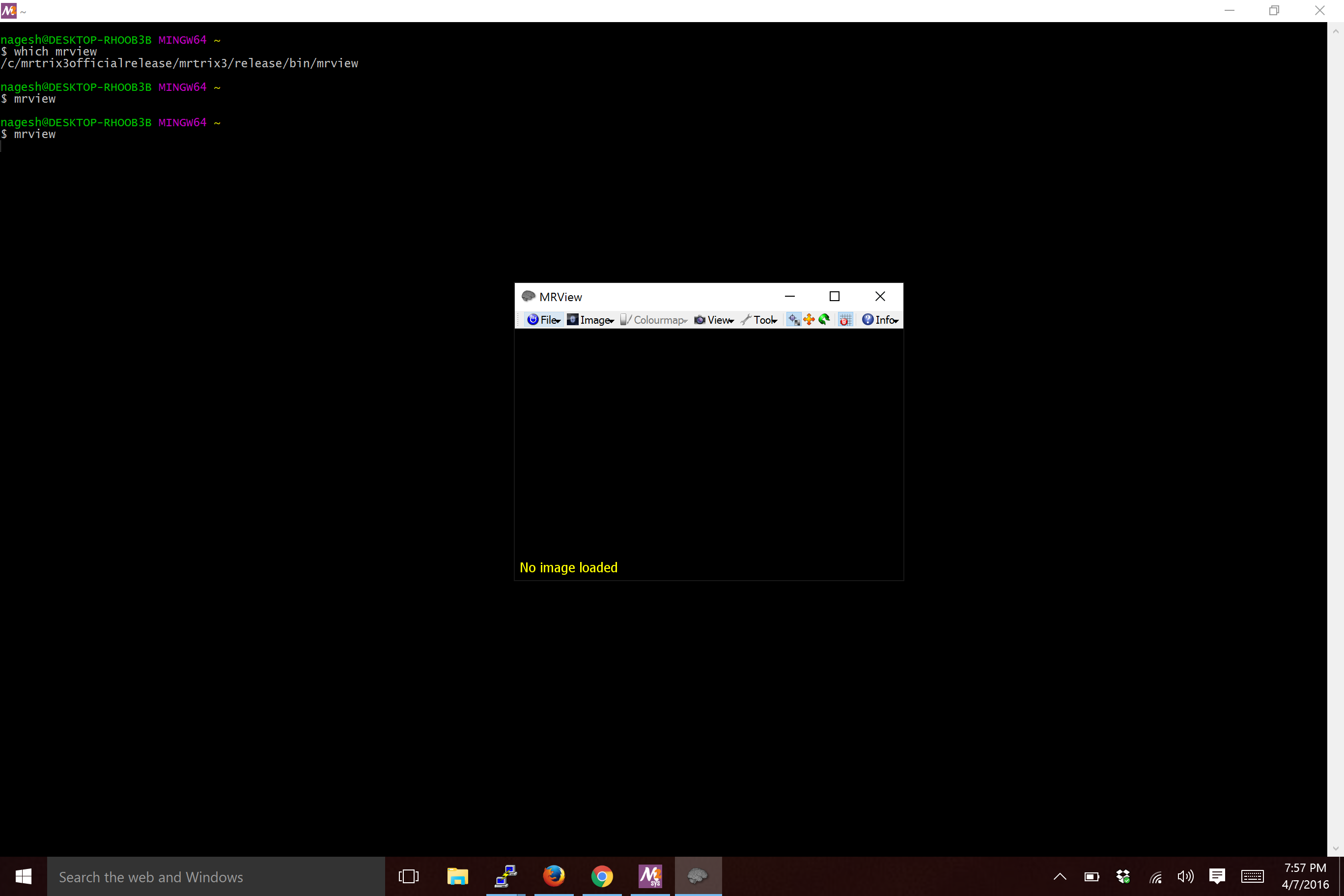
Wow. The third option of reinstalling without capital letters in the folder-name worked! Thanks Robert.
---
### Author:  [@jdtournier](https://community.mrtrix.org/u/jdtournier)
#### Post date: [April 8, 2016, 7:26am UTC](https://community.mrtrix.org/t/setting-library-path-on-windows-10/148/7 "2016-04-08T07:26:17Z")
> [@nadluru](#):
>
> Wow. The third option of reinstalling without capital letters in the folder-name worked!
I am stunned this would fix it… Unless the issue was related to white spaces in the PATH…?
Having just had a go at this myself yesterday, I think the instructions will need to be updated… I had to invoke:
```auto
$ PATH=/c/mingw64/bin:$PATH CFLAGS=-I/c/mingw64/include/eigen3 ./configure
```
before it would build properly, and then hit the same issue with the library. My fix to that was to copy the `release/lib/mrtrix-0.3.X.dll` over to `release/bin`, which I think is a cleaner solution on the long run. We could easily modify the build script to set the target part for the library to be in the `bin` folder on Windows, which would avoid this issue.
It’s annoying that I had to set the PATH and CFLAGS manually though, anyone else found this necessary…? I’m guessing the CFLAGS one could be avoided if `pkg-config` was included in the list of dependencies. No idea why the PATH wasn’t set properly from the outset though. This was a fresh MSYS2 install, by the way, just ran `update-core`, `pacman -Syu`, then the instructions on our wiki…
---
### Author:  [@rsmith](https://community.mrtrix.org/u/rsmith)
#### Post date: [April 8, 2016, 7:50am UTC](https://community.mrtrix.org/t/setting-library-path-on-windows-10/148/8 "2016-04-08T07:50:06Z")
> I am stunned this would fix it… Unless the issue was related to white spaces in the PATH…?
Me too. Windows paths inevitably contain whitespaces, and in this case there are no whitespaces before the MRtrix paths, so I don’t think it’s that. I’m curious to know if somewhere during `configure` / `build` there’s a lowercase conversion going on.
> My fix to that was to copy the release/lib/mrtrix-0.3.X.dll over to release/bin, which I think is a cleaner solution on the long run.
As in, you had added both `release/bin` and `release/lib` to the path as per the instructions and it didn’t work, then you copied the .dll to `release/bin` and it did work? Or did you not add `release/lib` to your path? Either way, I’d be happy with the suggested alternative.
---
### Author:  [@jdtournier](https://community.mrtrix.org/u/jdtournier)
#### Post date: [April 8, 2016, 8:00am UTC](https://community.mrtrix.org/t/setting-library-path-on-windows-10/148/9 "2016-04-08T08:00:18Z")
> [@rsmith](#):
>
> As in, you had added both release/bin and release/lib to the path as per the instructions and it didn’t work, then you copied the .dll to release/bin and it did work? Or did you not add release/lib to your path?
OK, I hadn’t added anything to the PATH… my mistake.
Still, I like to be able to invoke commands by their full path, which can come in handy when testing, etc. Moving the DLL over to the `bin` folder means it works out of the box. It’s a pretty simple change, I think we should do it.
---
### Author:  [@bjeurissen](https://community.mrtrix.org/u/bjeurissen)
#### Post date: [April 8, 2016, 8:22am UTC](https://community.mrtrix.org/t/setting-library-path-on-windows-10/148/10 "2016-04-08T08:22:08Z")
From a completely fresh MSYS2 installation, I was able to configure, build and run without any issues, using just this (copied literally from the very first entries of my .bash\_history):
Open MinGW-w64 Win64 Shell and run:
```
update-core
```
Close and open MinGW-w64 Win64 Shell and run:
```
pacman -Su
pacman -S git python pkg-config mingw-w64-x86_64-gcc mingw-w64-x86_64-eigen3 mingw-w64-x86_64-qt5
git clone https://github.com/MRtrix3/mrtrix3.git
cd mrtrix3
./configure
./build
echo "export PATH=$(pwd)/release/bin:$(pwd)/release/lib:$(pwd)/scripts:\$PATH" >> ~/.bashrc
mrinfo -version
```
Note that this corresponds exactly to the instructions in the documentation.
@jdtournier: the pkg-config package is already included in the docs, so it should just all works fine without too much hassle.
PS: msys2 was installed in its default directory without any spaces (this is recommended against) and I ran everything from the home directory provided by msys2
---
### Author:  [@bjeurissen](https://community.mrtrix.org/u/bjeurissen)
#### Post date: [April 8, 2016, 8:38am UTC](https://community.mrtrix.org/t/setting-library-path-on-windows-10/148/11 "2016-04-08T08:38:06Z")
> [@jdtournier](#):
>
> I am stunned this would fix it.
I tested using capitals in a directory outside the msys2 homedir, and it all works out perfectly fine. So something else must have been different on the second go…
---
### Author:  [@jdtournier](https://community.mrtrix.org/u/jdtournier)
#### Post date: [April 8, 2016, 10:56am UTC](https://community.mrtrix.org/t/setting-library-path-on-windows-10/148/12 "2016-04-08T10:56:29Z")
OK, it seems the issue was that I was using the MSYS2 shell, not the MinGW-w64 shell as clearly stated in the docs… Everything does indeed run fine when following the instructions to the letter…
---
### Author:  [@nadluru](https://community.mrtrix.org/u/nadluru)
#### Post date: [April 8, 2016, 4:47pm UTC](https://community.mrtrix.org/t/setting-library-path-on-windows-10/148/13 "2016-04-08T16:47:24Z")
Thank you Donald and Ben for testing this and updating the instructions and such.
I typically do try to follow the instructions to the letter but somehow I missed this one but all is good now 🙂
Thanks again tremendously!